
BCP (Business Continuity Planning)
Emergency Broadcast + Centralised BCP Page
Fort Digital BCP is the world’s only platform that combines:
1. SMS Failover to WhatsApp, or WhatsApp Failover to SMS
2. Centralised BCP Page
How It Works
1. Broadcast SMS / WhatsApp
First, you choose your preferred Primary communication channel, either SMS or WhatsApp. The alternate channel is automatically configured as the failover channel. Before any incident occurs, simply prepare your contact lists, create recipient groups, and save your message templates.
When an emergency happens:
– Login via our Web Portal or Mobile App
– Select the recipient group
– Choose the message template
– Click SendThe entire emergency broadcast process takes less than 10 seconds.
2. Intelligent SMS / WhatsApp Failover
After the broadcast is sent, the system automatically monitors the delivery status. If the message is not successfully delivered within one minute, regardless of the reason (network issue, carrier delay, service outage, etc.), the system automatically performs a Failover by sending the same message through the alternate communication channel.
– SMS ➜ WhatsApp
– WhatsApp ➜ SMS
This ensures your recipients receive the alert through the most reliable available channel. Every emergency notification also includes a link to your Centralised BCP Information Portal
3. Centralised BCP Information Portal
Instead of repeatedly sending new messages whenever there is an update, administrators simply update the Centralised BCP Portal. Employees only need to refresh the page to receive the latest information. The portal supports:
– Live text announcements
– Images
– PDF documents
Every employee login is automatically recorded, allowing administrators to identify:
– Who has viewed the latest updates
– Who has not yet accessed the portal
The attendance report can be downloaded for follow-up actions. For employees who have not responded, administrators can immediately contact them using the additional communication channels available within the platform. These services are provided as bonus communication channels:
– Email
– Text-to-Voice Call
Prepare Centralised BCP Information Portal
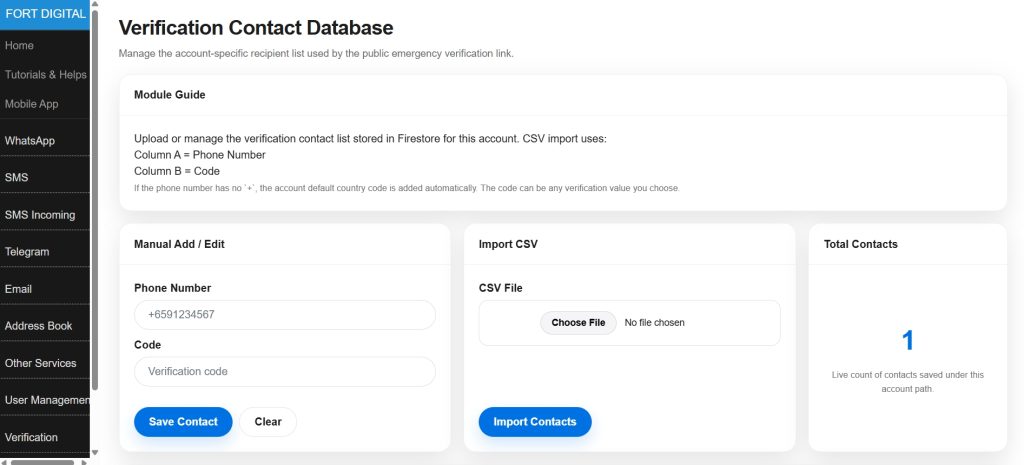
Step 1 : Admin Prepare Staff Database
First, Admin will log in to the Fort Digital’s SMS portal or mobile app to Import the list of staff mobile numbers together with their verification codes such as date of birth. Later, only staff who enter the correct mobile number and date of birth will be able to access the Emergency Messages.
Step 2 : Admin Prepare the
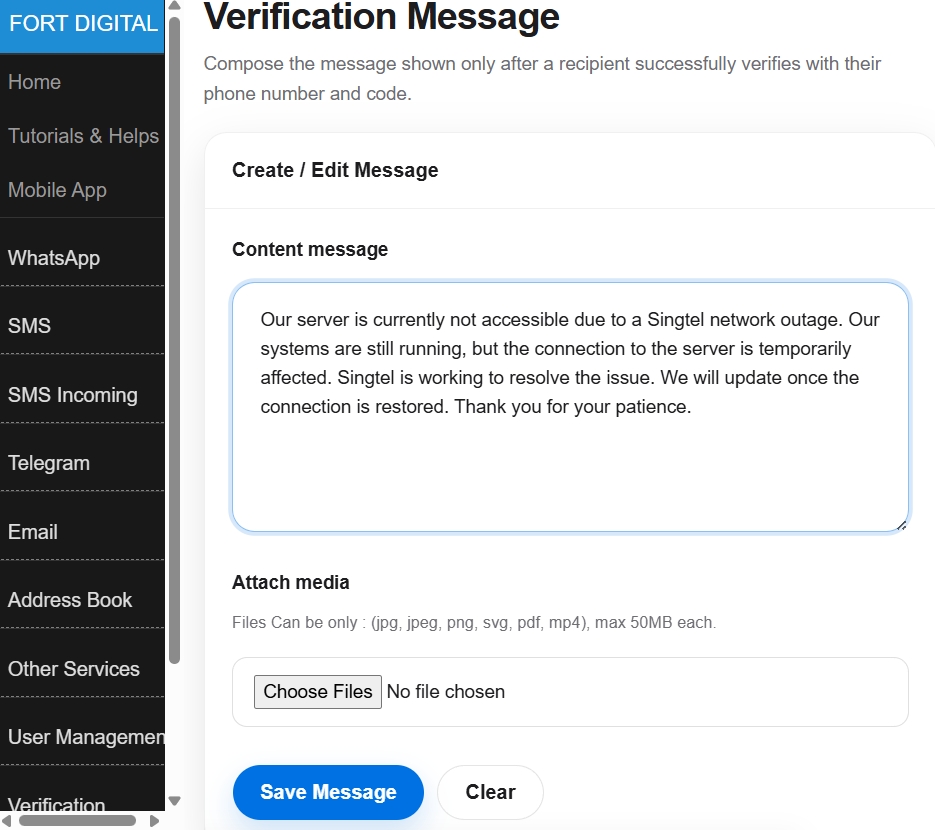
Emergency Alert Message
Now the admin can write the emergency alert message in the same portal and can also attach images, videos, and PDF files to the message.
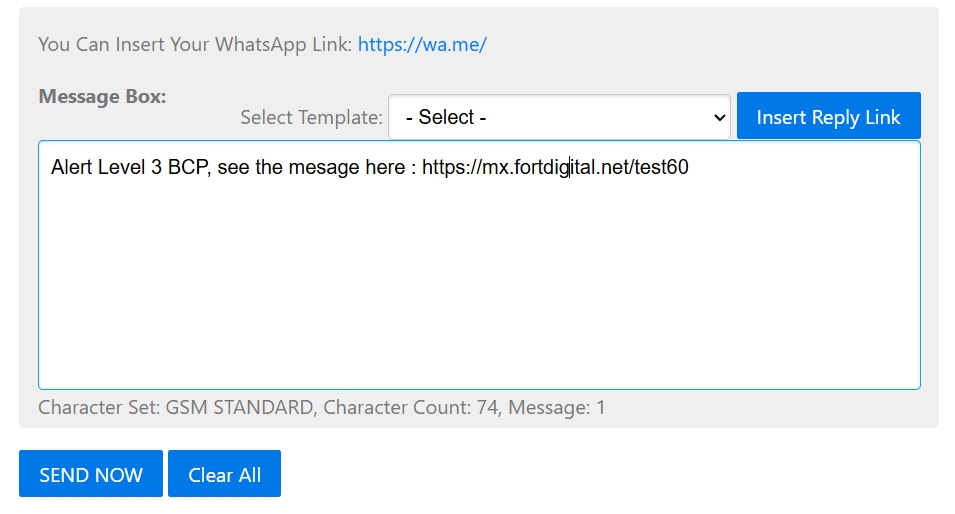
Step 3 : Broadcast the Emergency Message
Now, admin broadcast the emergency message via SMS, or WhatsApp, or Email, and include the emergency portal link such as : https://mx.fortdigital.net/test60
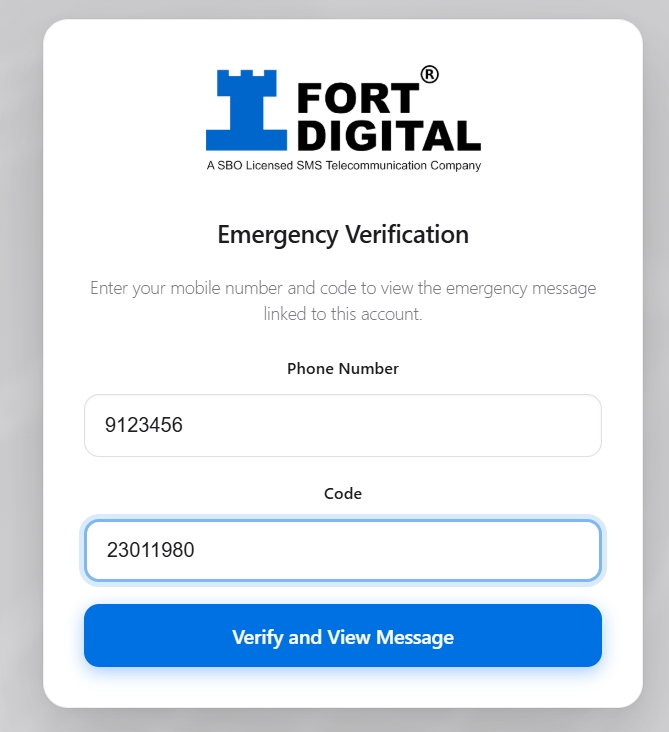
Step 4 : Staff Open the Portal, Login and Check the Emergency Message
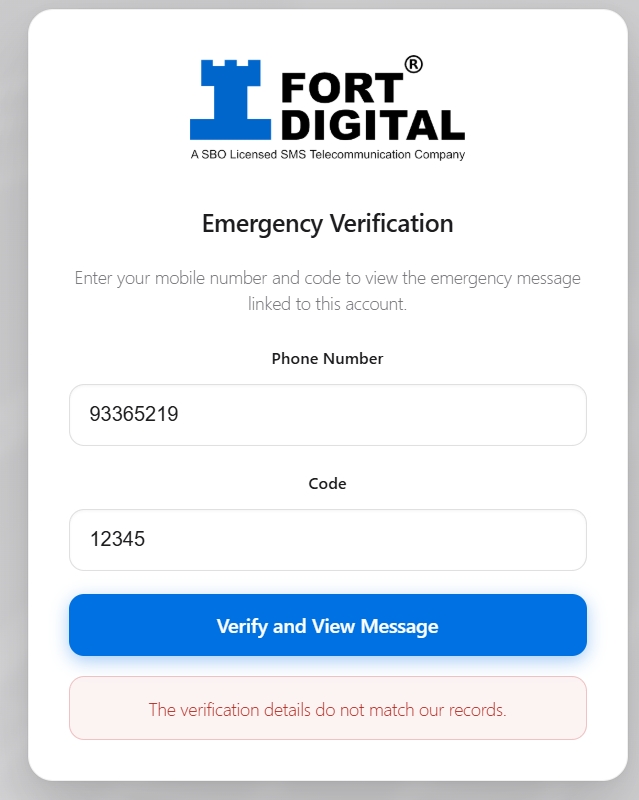
Staff will not be able to view the emergency message until they successfully log in. They must enter their mobile number and verification code (such as date of birth), which must match the database prepared earlier by the admin. If they are unable to log in, they will not be able to view the emergency message, as this information is confidential and for staff only.
Admin Can Add Multiple Messages with Images, Video, and Documents
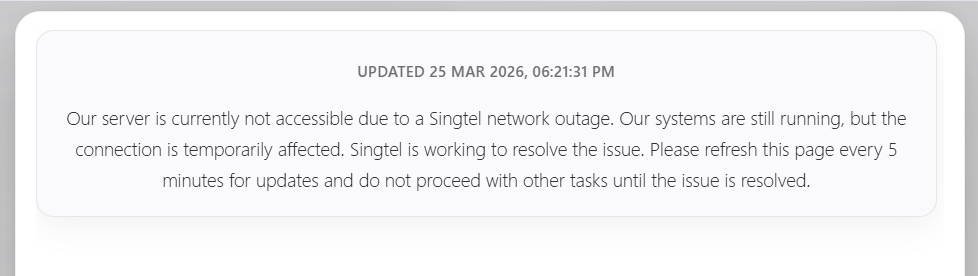
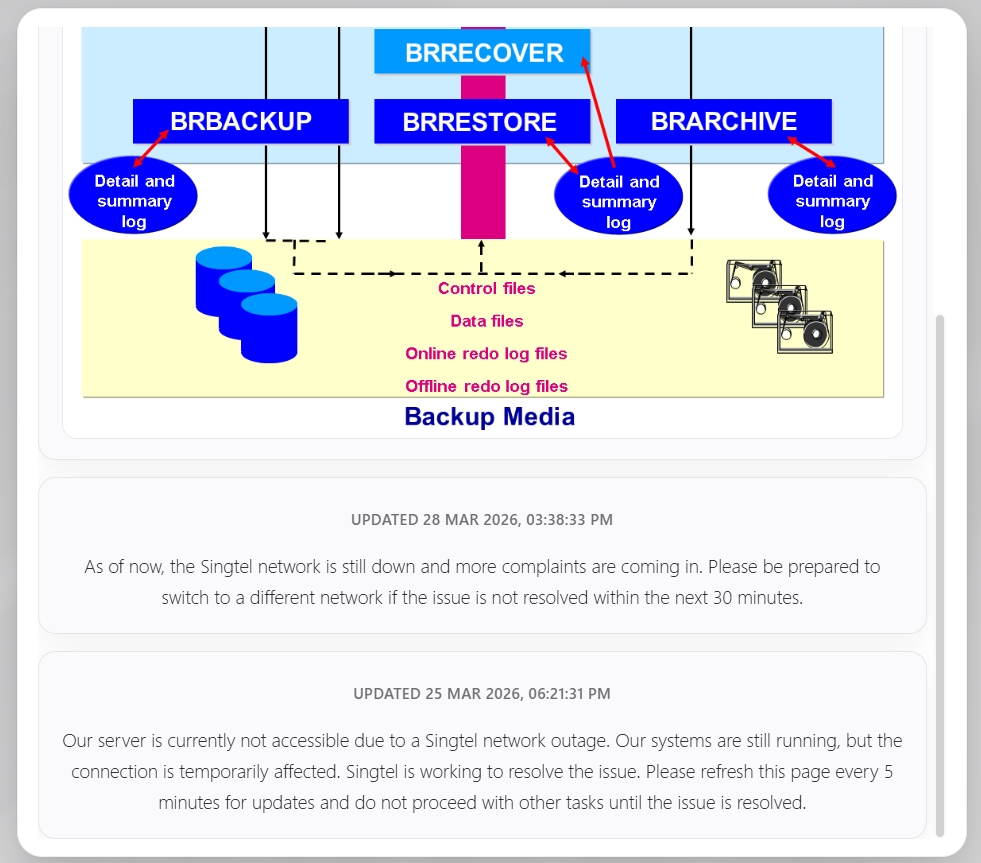
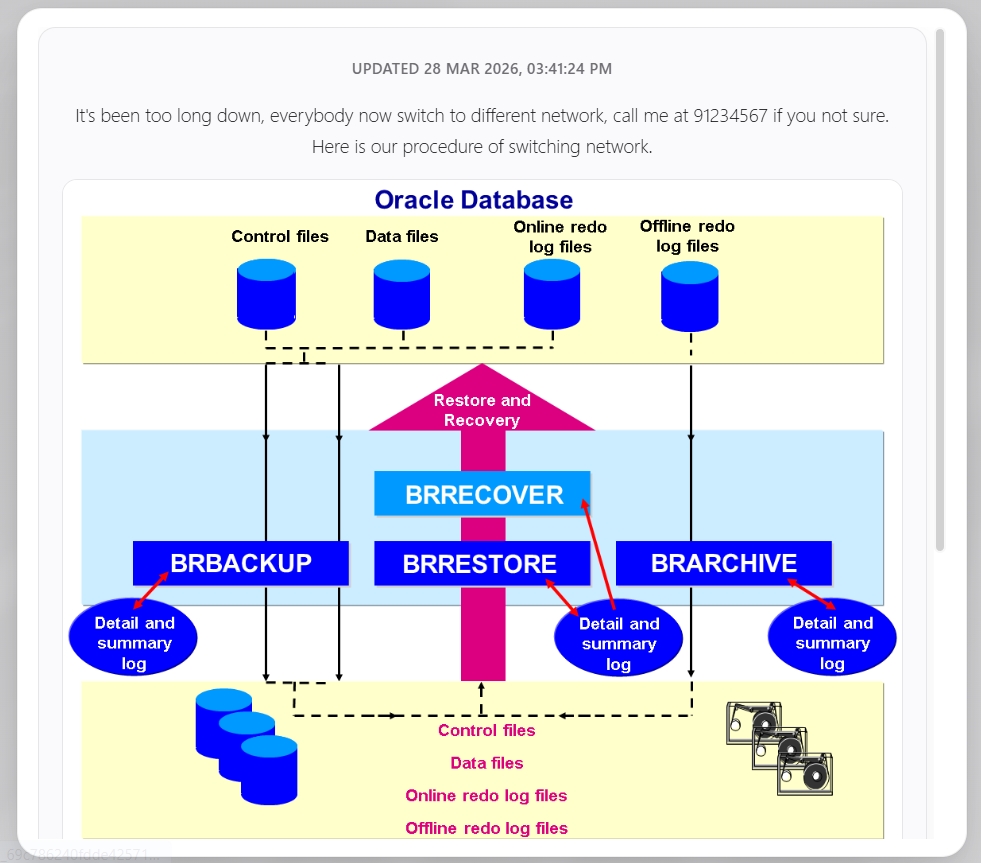
Staff can now view the latest updates from the admin. The newest message will always appear at the top. The admin can also attach images, videos, and documents so everyone receives the latest emergency updates.
This system does not have the 160-character limit found in SMS. Admin can write Long Messages and Attach Images, Videos, and Documents, whereas SMS supports Text only.
Reports
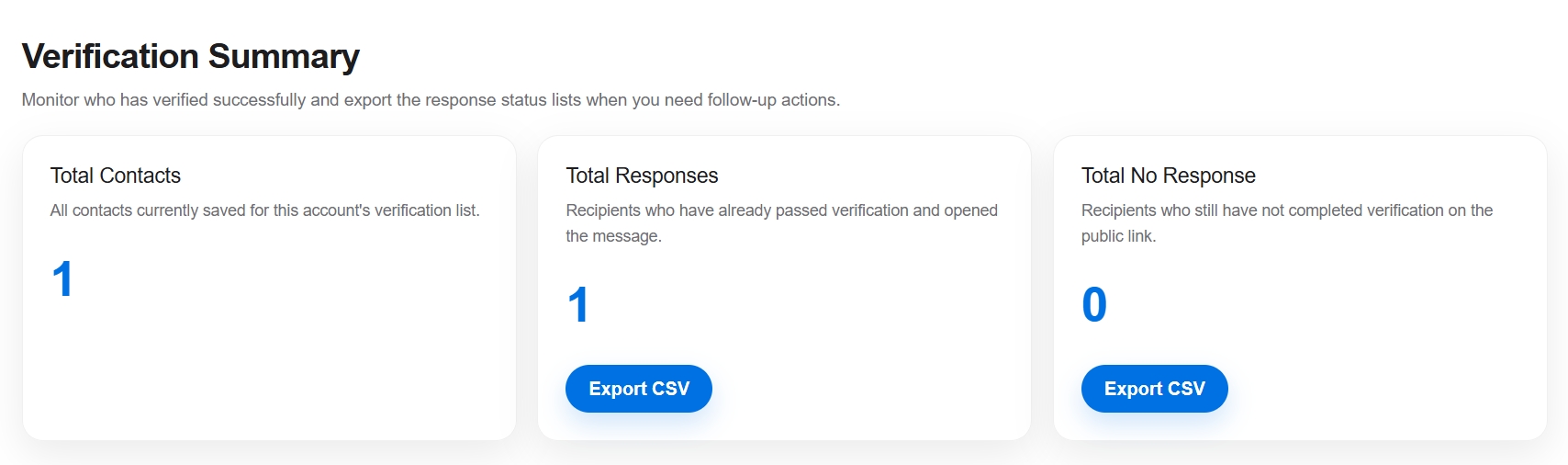
Admin can monitor how many staff have logged in and checked the emergency message portal. Those who have not logged in may not be aware of the emergency situation. You can easily export out the reports to excel as well.
Broadcast EMERGENCY Message in 5 SECONDS
using Mobile App
The goal is fast, efficient urgent communication. Set up GROUPS (e.g. parents, staff) and MESSAGE TEMPLATE in advance — then send a broadcast in under 5 seconds by selecting the Group, choosing the Template, and hitting SEND.
Create Group
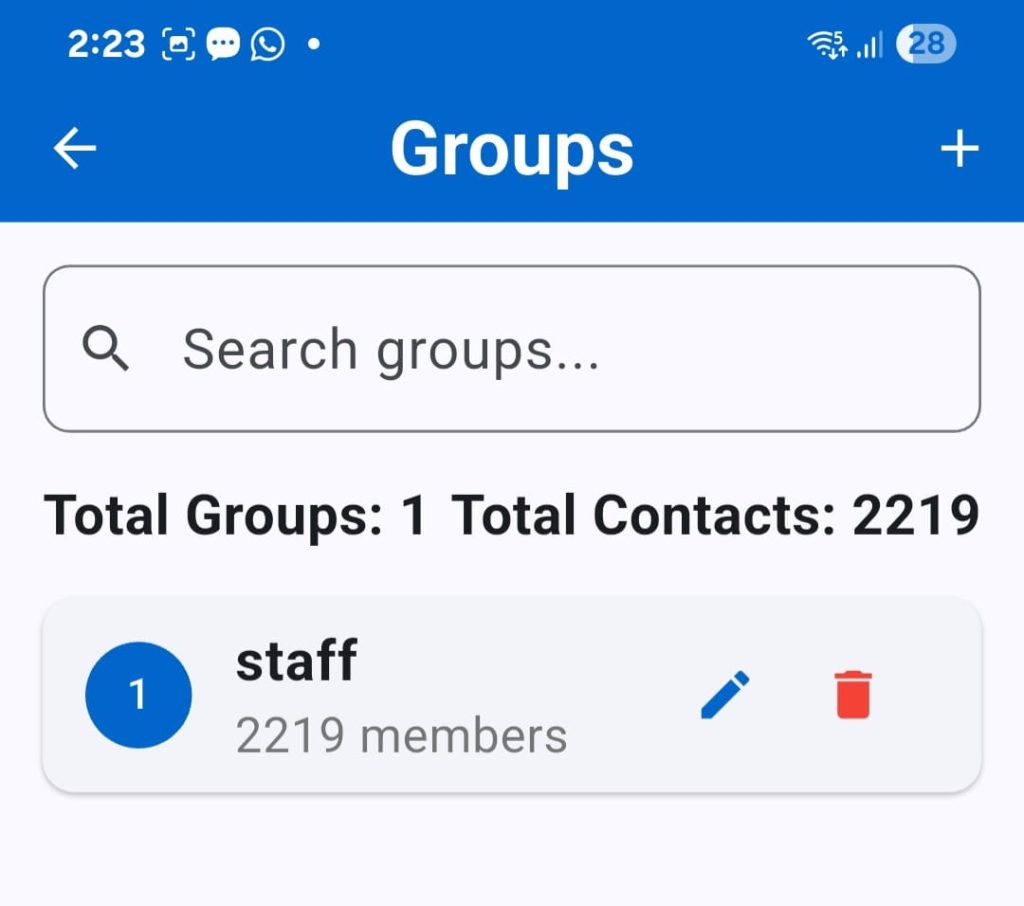
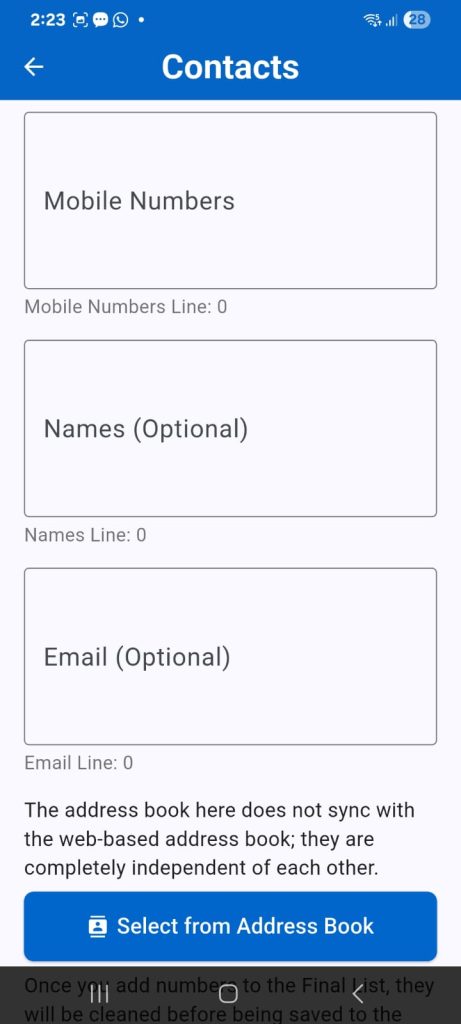
Create unlimited groups to speed up future broadcasts—just select the target group and send. There’s no limit to the number of contacts you can import into each group.
Import Contacts
Easily import contacts by copying and pasting thousands of numbers from Excel or other sources. The system will automatically clean the data—removing duplicates, symbols, letters, leading zeros, and adding the default country code.
You can also add contacts directly from your phone’s address book.
Create Templates
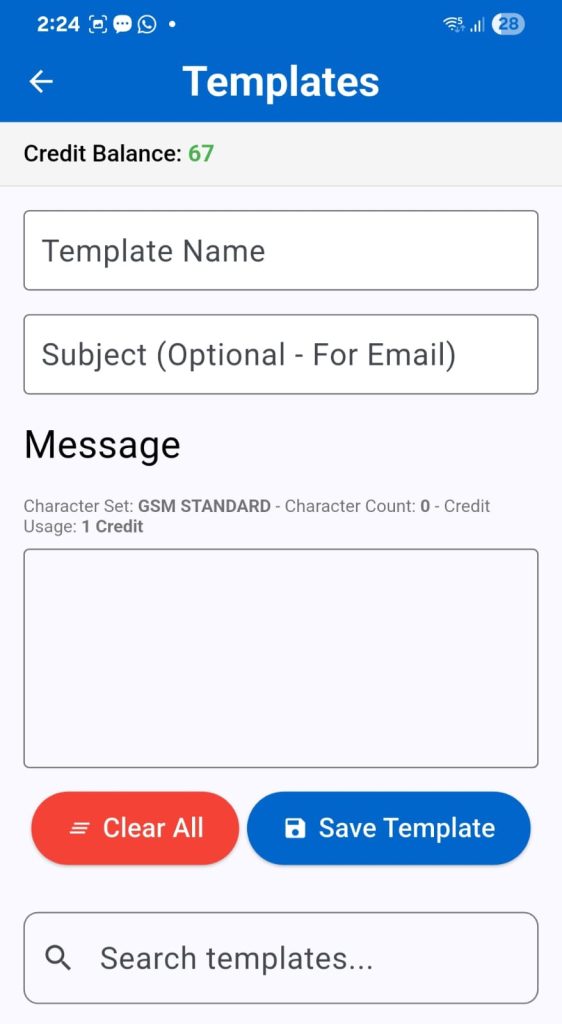
Save time by setting up Message Templates in advance (e.g. lockdown alerts, weather warnings, system issues). When needed, you can send a broadcast in under 5 seconds.
SMS Broadcast
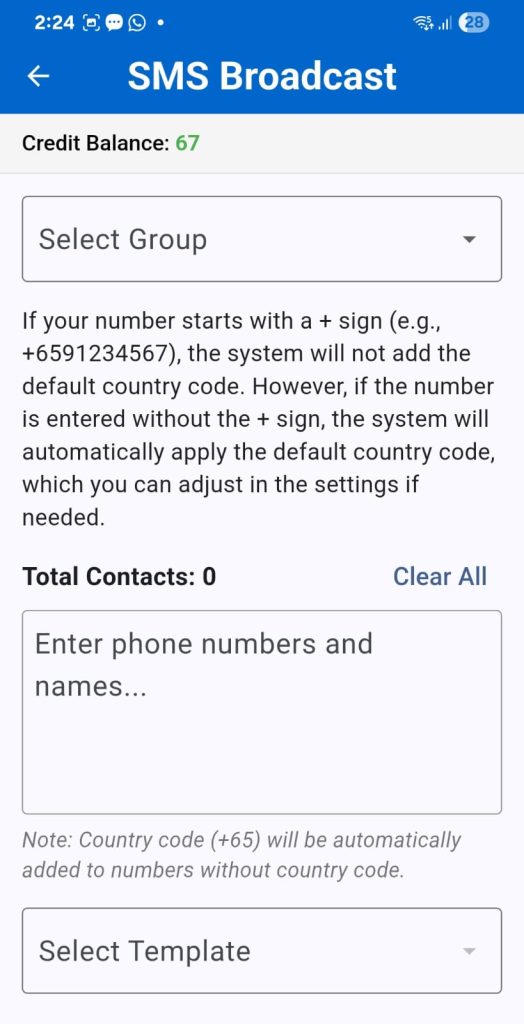
To start SMS Broadcast, just select the group, choose the template message, and hit send. That’s it. All within 5 seconds.
You can also enter new numbers directly here for Ad-Hoc broadcasts.
Voice Call Broadcast
(Bonus Channel)
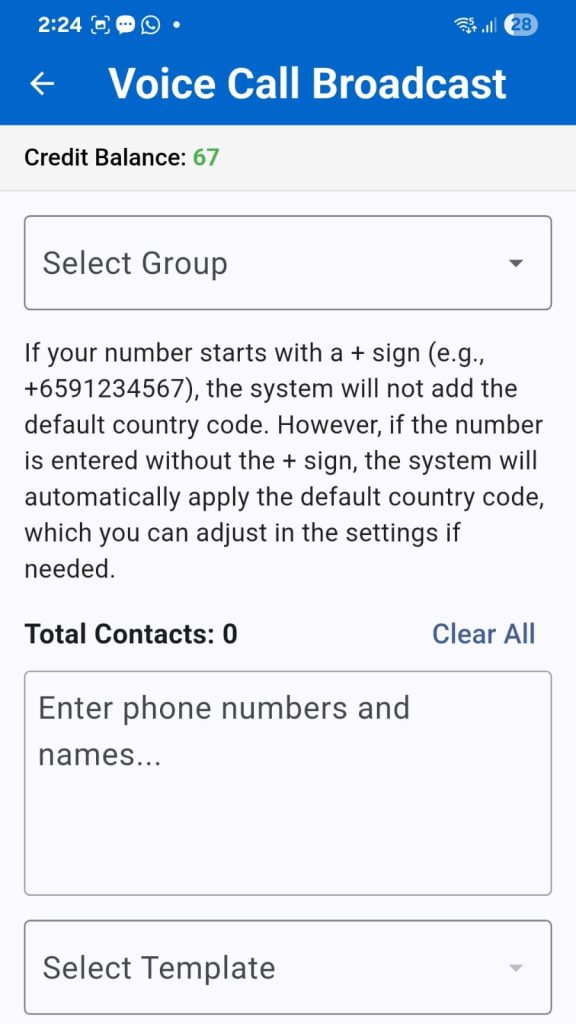
Just like the SMS broadcast, select the Group and Template—once sent, recipients will receive a Voice Call with the message read out to them using AI voice.
Email Broadcast
(Bonus Channel)
Just like the SMS broadcast, select the Group and Template—once sent, recipients will receive a Email
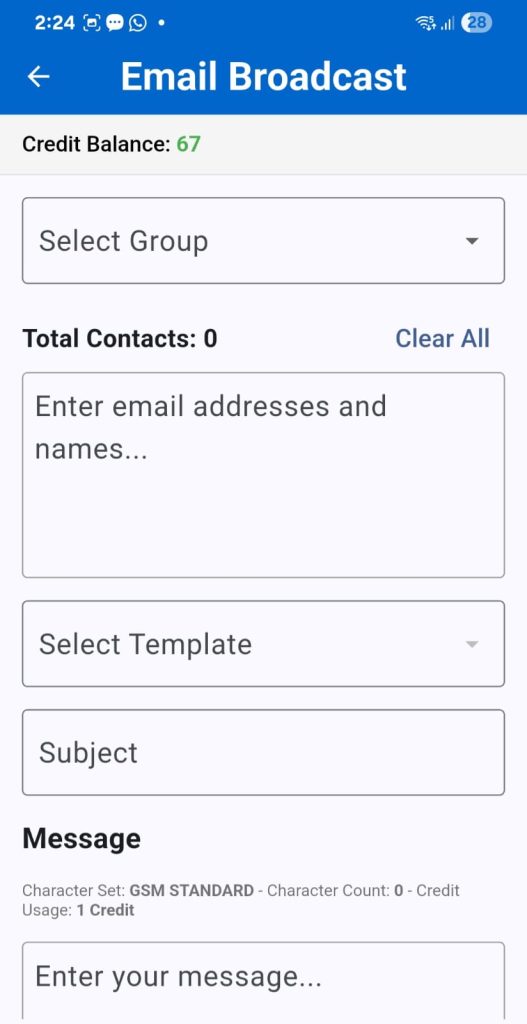
Broadcast Via Mobile Apps


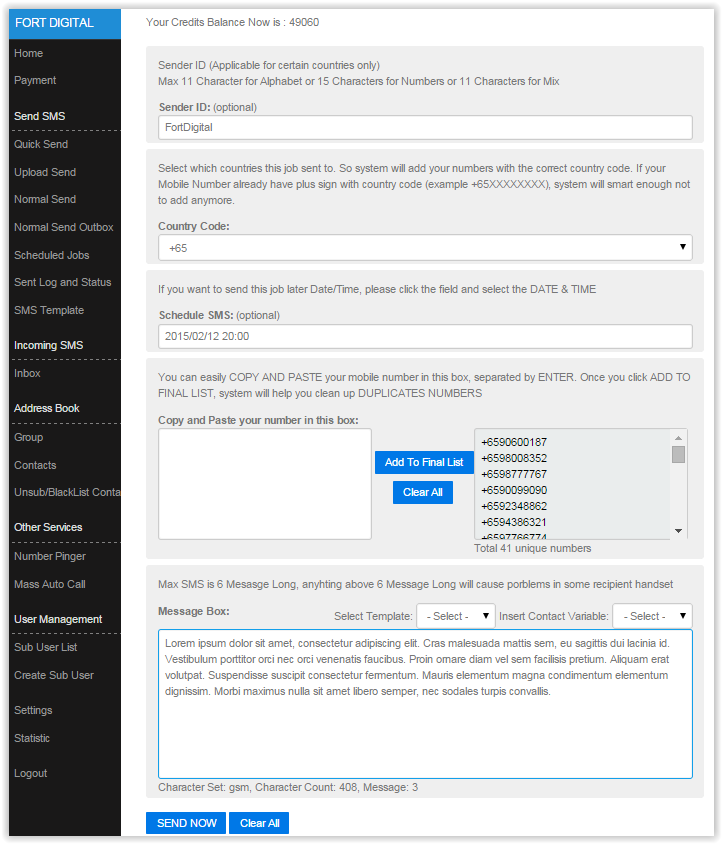
Broadcast via Web Portal + Mobile App + API
Your account supports 3 sending channels: Web Portal, API for automated sending, and Mobile App—at no extra cost. All use the same credit balance.
1 Credit 3 – Services
Your SMS CREDITS (no expiry date) offer TRIPLE functionality. Direct use, no seperate setup.
This multi-channel approach ensures that if a customer does not respond to an SMS, you can still reach them via VOICE CALL or EMAIL. We also offer WhatsApp functionality (requires separate setup process). You can send SMS, VOICE CALL, and EMAIL through our WEB PORTAL or automate them using our API.
1. SMS
Sent from your registered Sender ID with IMDA
2. Text to Voice Calls
Calls will be made from the number: 31251790
3. Emails
Email will be sent from: noreply@emailsingapore.org
Fully Customizable
Fort Digital System is fully customizable to meet the unique requirements of any organization. What you here is only a glimpse of its full potential, as every feature, function, and interface can be tailored to match your company’s workflow, branding, and security policies. Contact us today for a consultation and discover how we can customize to perfectly suit your business needs.
100% Singapore
Fort Digital is a 100% Singapore-Registered Company, 100% Singaporean Directors and 100% cloud data hosted within Singapore Region. This is very important, as many SMS providers are not Singapore-based — once you use their services, your data is sent overseas, and you have no control or assurance over how it’s handled.
Why Use Fort Digital ?
- ● 17 Years SMS Company, One of the Oldest in Singapore
- ● IMDA SBO License
- ● IMDA SGNIC SMS Aggregator
- ● No Setup fee, No Annual Fee, No Maintenance Fee, Credits No Expiry Date. You can send via our Web Portal + API totally FREE, no extra charges
- ● Security : 100% Singapore Server, 100% Singapore Local Company and Directors, 2FA Login, IP Whitelist, Country Code Restrictions, Quota Limit, OWASP Server Protection
Data Security
Fort Digital is a 100% Singapore-Registered Company, 100% Singaporean Directors and 100% cloud data hosted within Singapore Region. This is very important, as many SMS providers are not Singapore-based — once you use their services, your data is sent overseas, and you have no control or assurance over how it’s handled.